






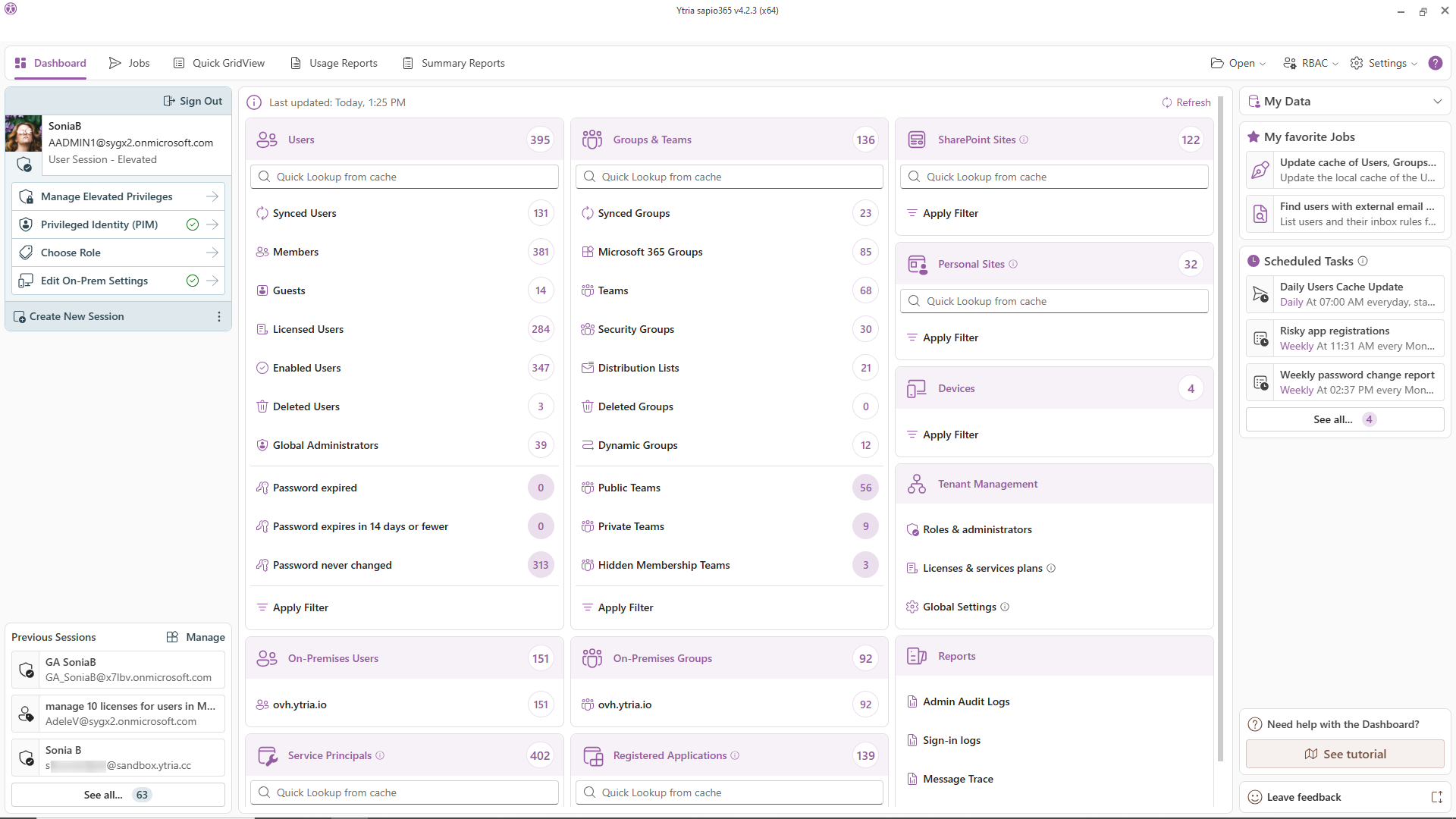
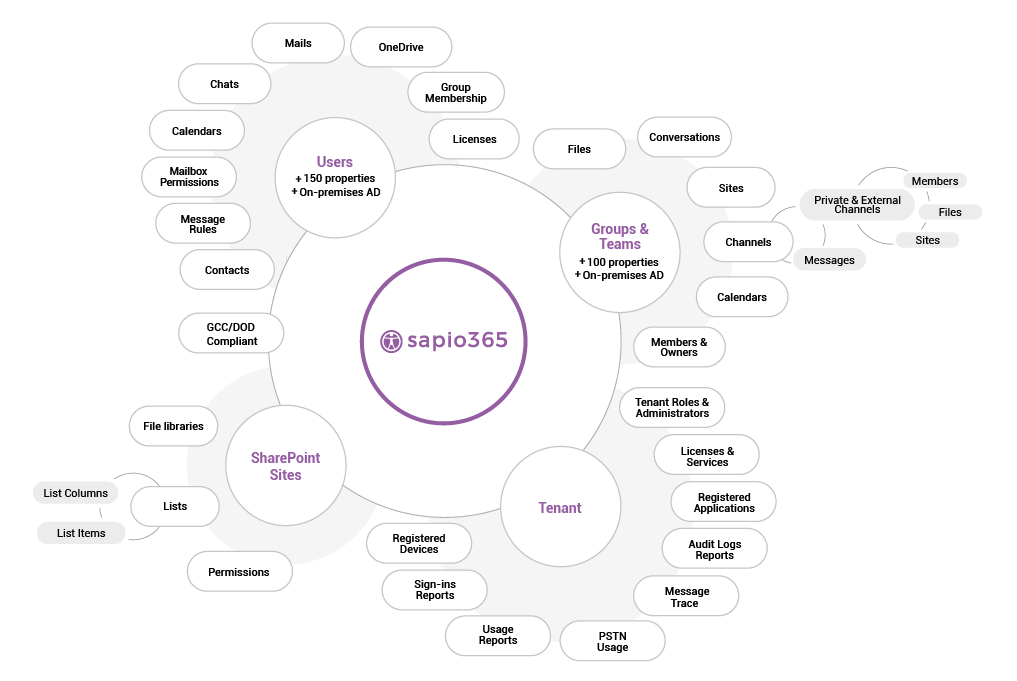
sapio365 gives IT admins one desktop interface to explore, organize, and act on everything in their Microsoft 365 environment. Without PowerShell, without jumping between portals, and without your data ever leaving your environment.
It's all about clicks, not code.
Cloud and on-premises AD in one native interface, multiple domains, side by side. Delegate safely with granular roles, activate PIM roles in-app, and answer any audit question in minutes instead of days.
Every client tenant, one window, one login. Your techs get scoped roles, not your clients' credentials. Cross-tenant reporting no one else can do. And you can tell compliance-heavy clients the truth they want to hear: their data never sits in anyone's cloud. Including ours.
sapio365 works where SaaS management tools are disqualified by policy: GCC High, DoD, 21Vianet, and data-residency-constrained environments. Everything runs locally, in your environment, under your rules.
GridViews, sapio365's patented grid technology, puts the full depth of Entra ID and Active Directory data (300+ filterable, sortable, groupable properties) in a single interactive layout. Sort, filter, group, and categorize by any combination. Compare anything to anything, side by side.
One grid replaces a thousand canned reports.
1
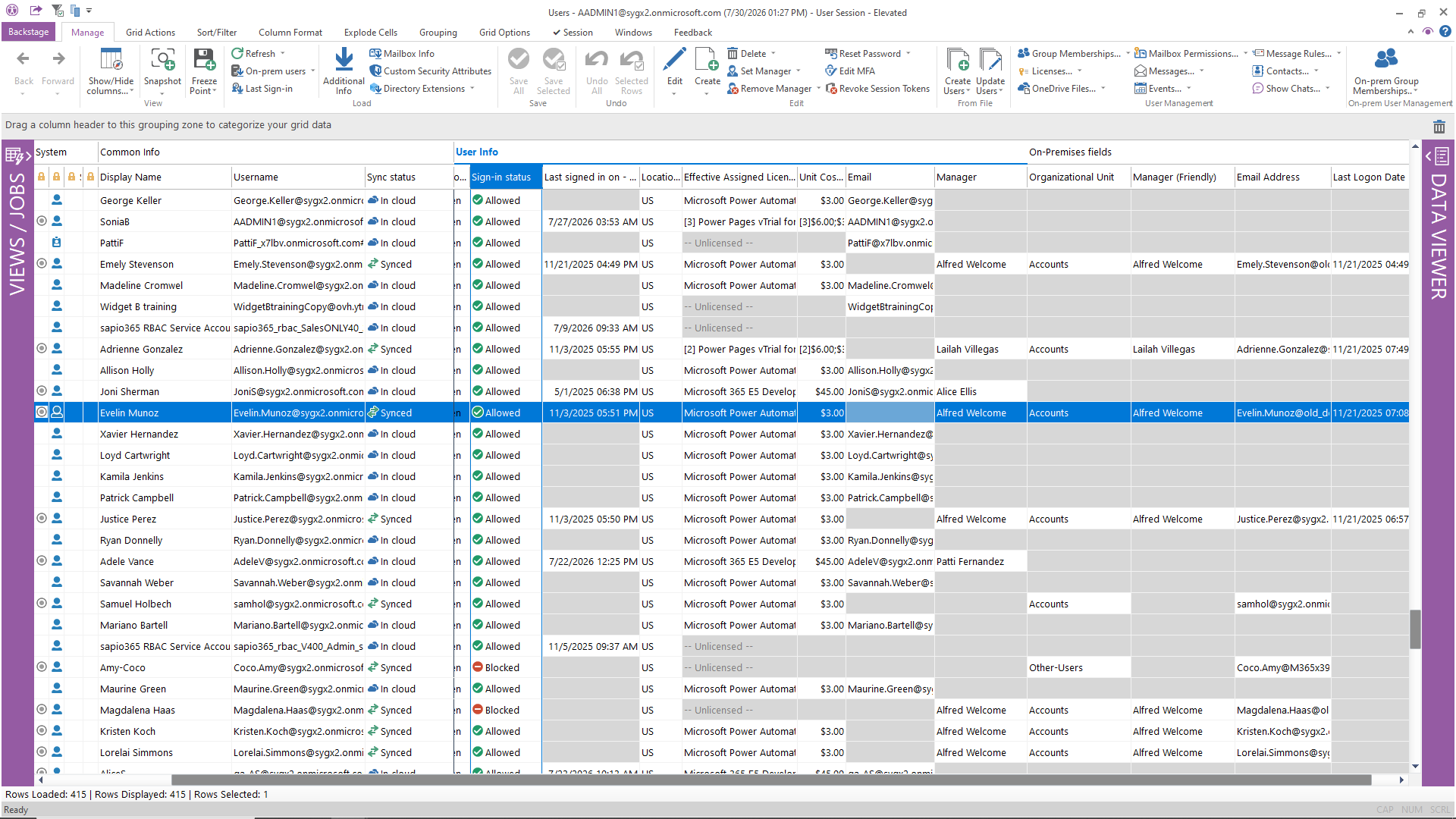
What native tools require: Multiple admin portals (Entra, Exchange, Active Directory Users & Computers) plus PowerShell scripts to cross-reference. sapio365 does it in one view.
2
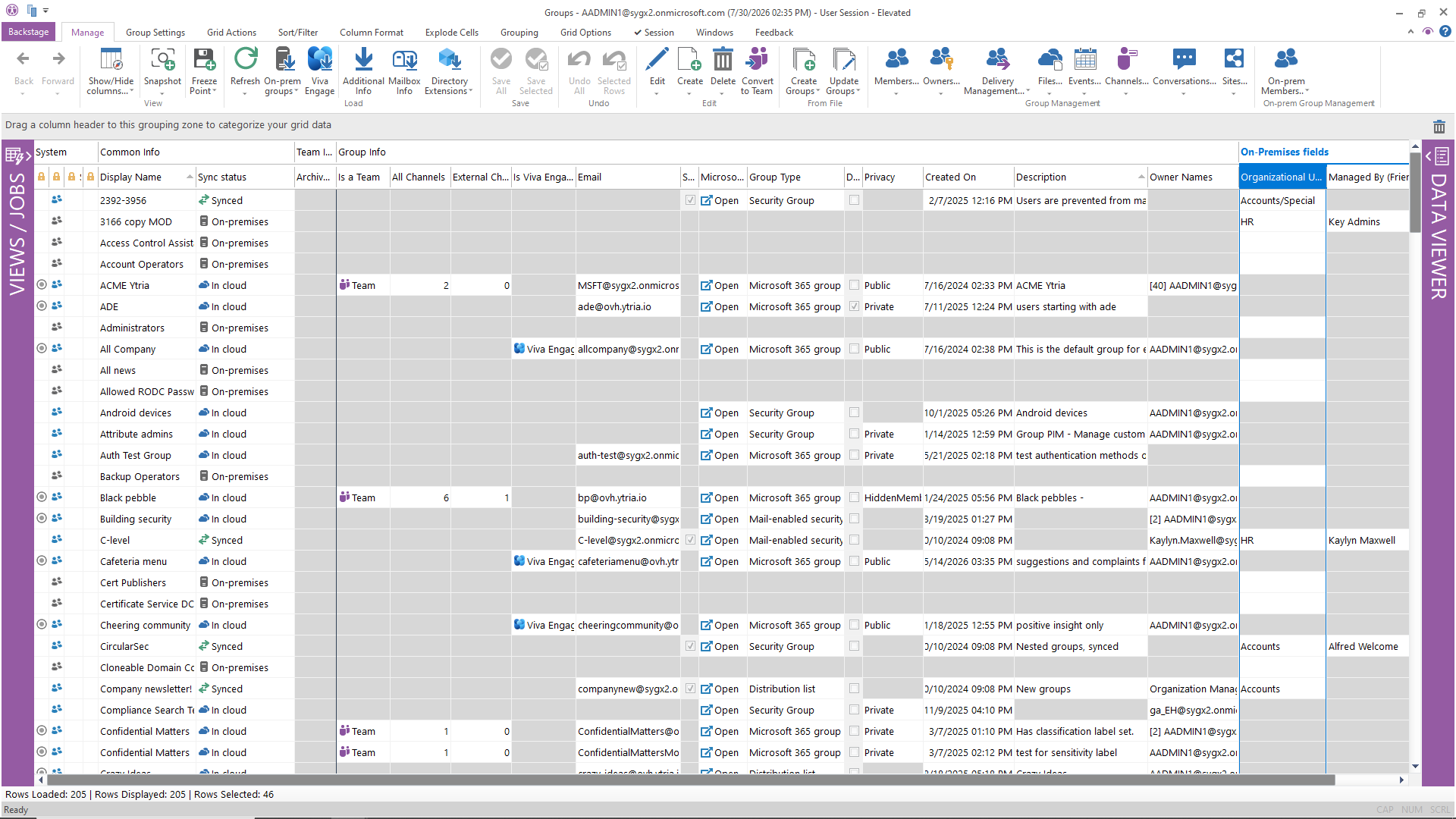
What native tools require: Azure portal for some groups, Exchange admin for distribution lists, Teams admin for channels … no single view exists natively.
3
What native tools require: The M365 admin center shows license counts, but lacks utilization analysis, cost modeling, or safe bulk reassignment.
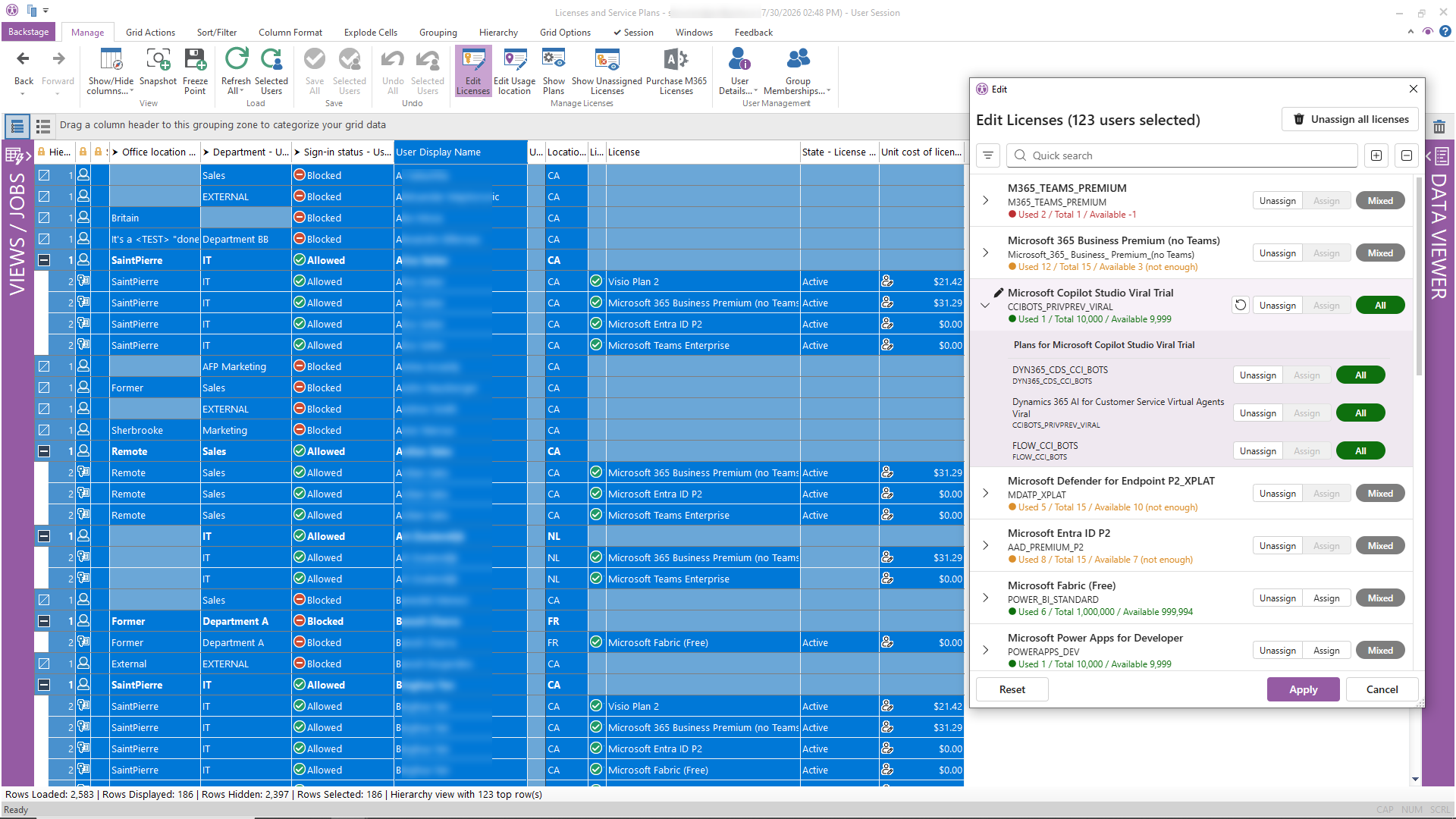
4
What native tools require: Exchange admin center plus PowerShell (Get-MailboxPermission, Get-InboxRule, etc.) — no global view of permissions across all mailboxes.
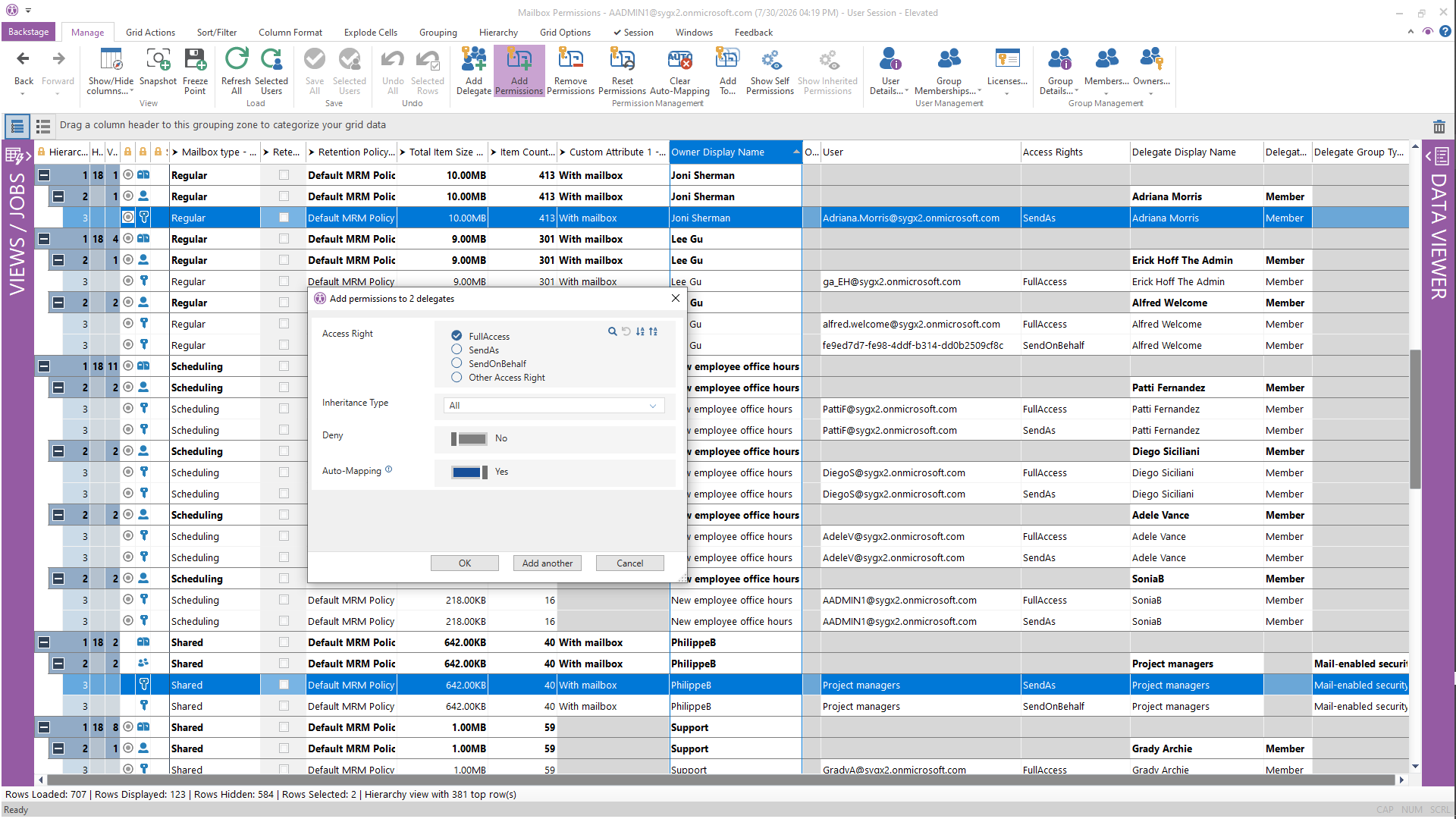
5
Use cases: Departing employee data retention, malicious email eradication, compliance audits, legal discovery support.
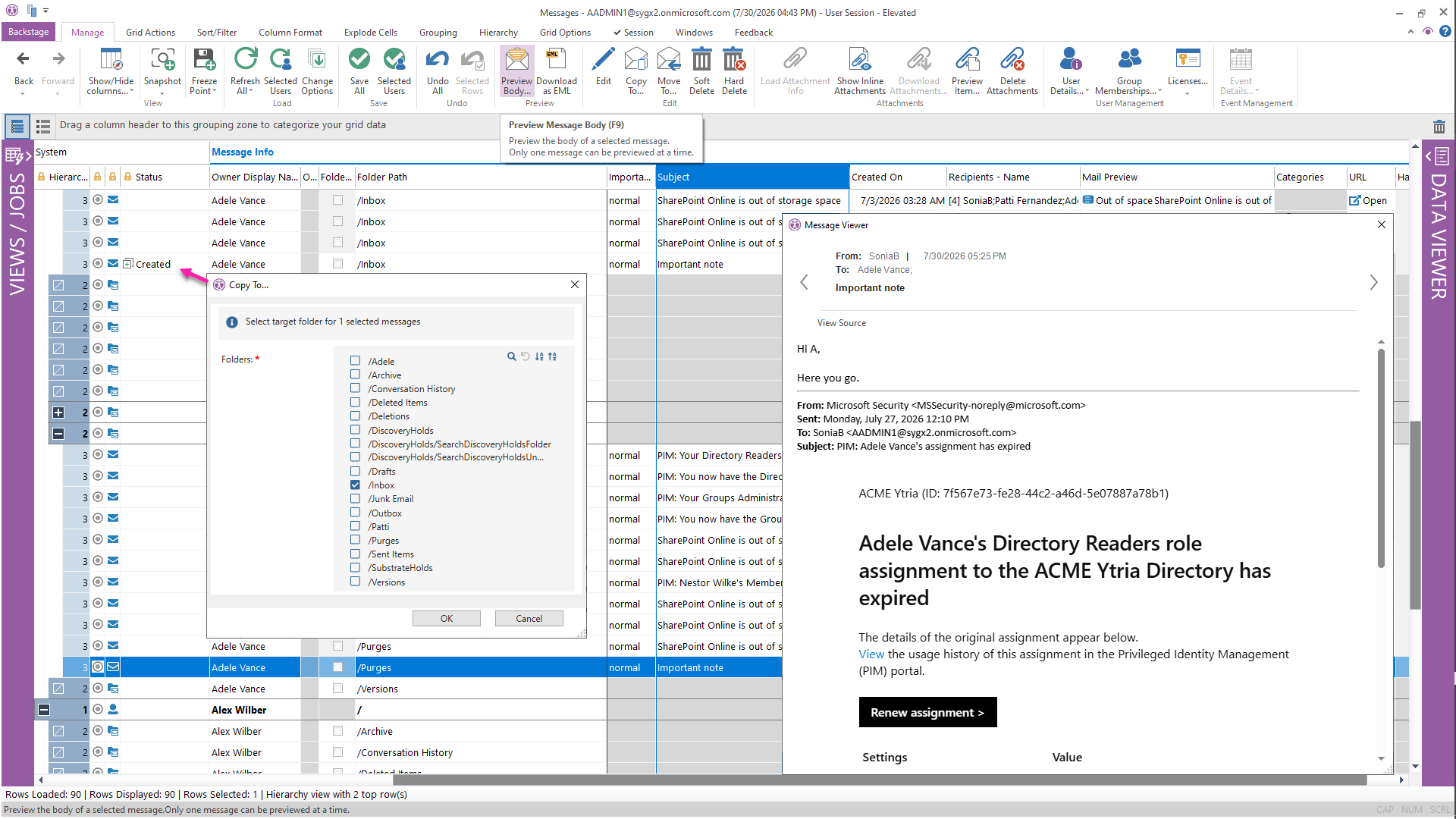
6
Use cases: Meeting audit trails, departing employee calendar cleanup, compliance reviews.
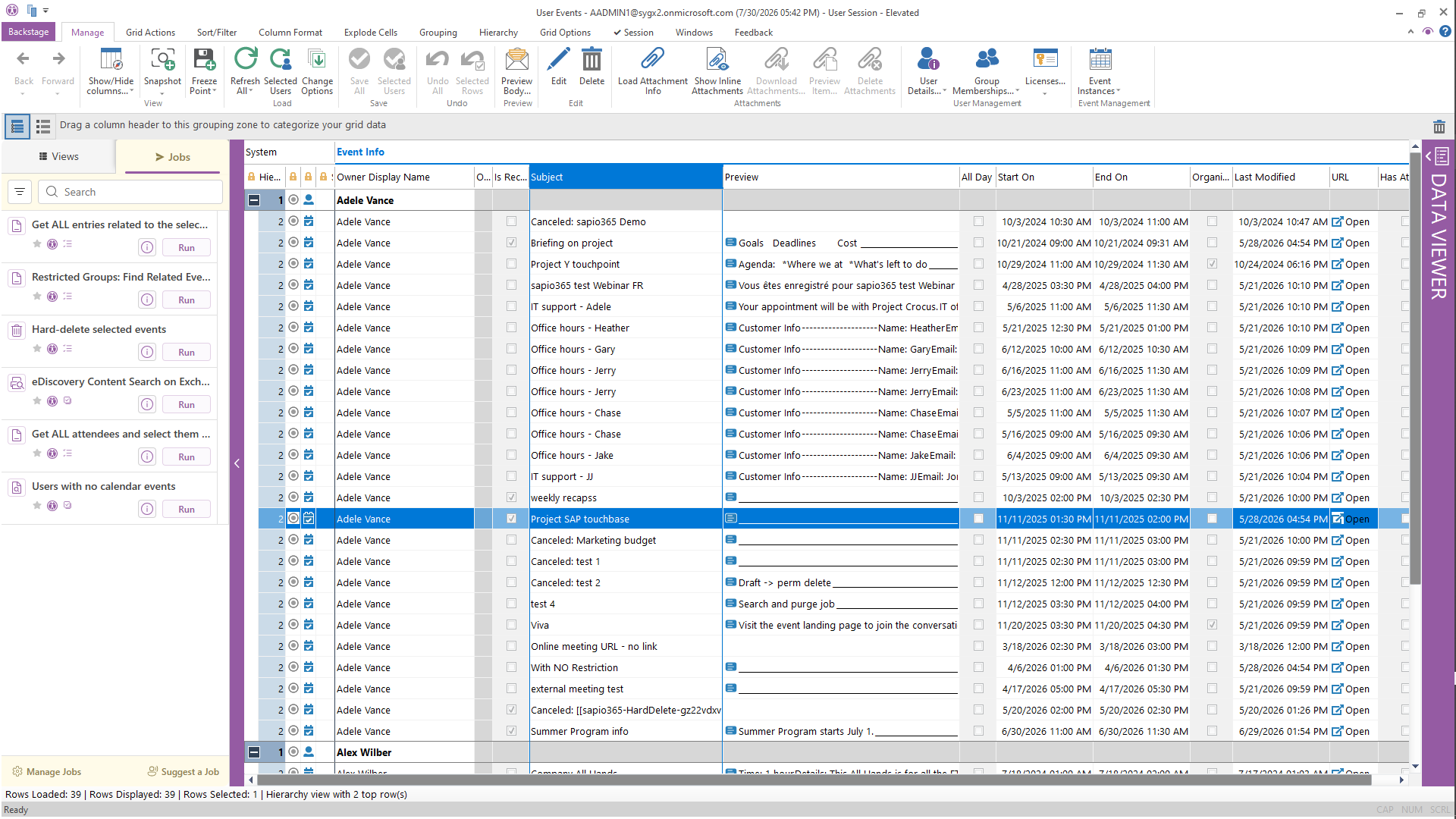
7
What native tools require: SharePoint admin center shows sites but not document-level sharing. Checking permissions requires site-by-site navigation or PowerShell.
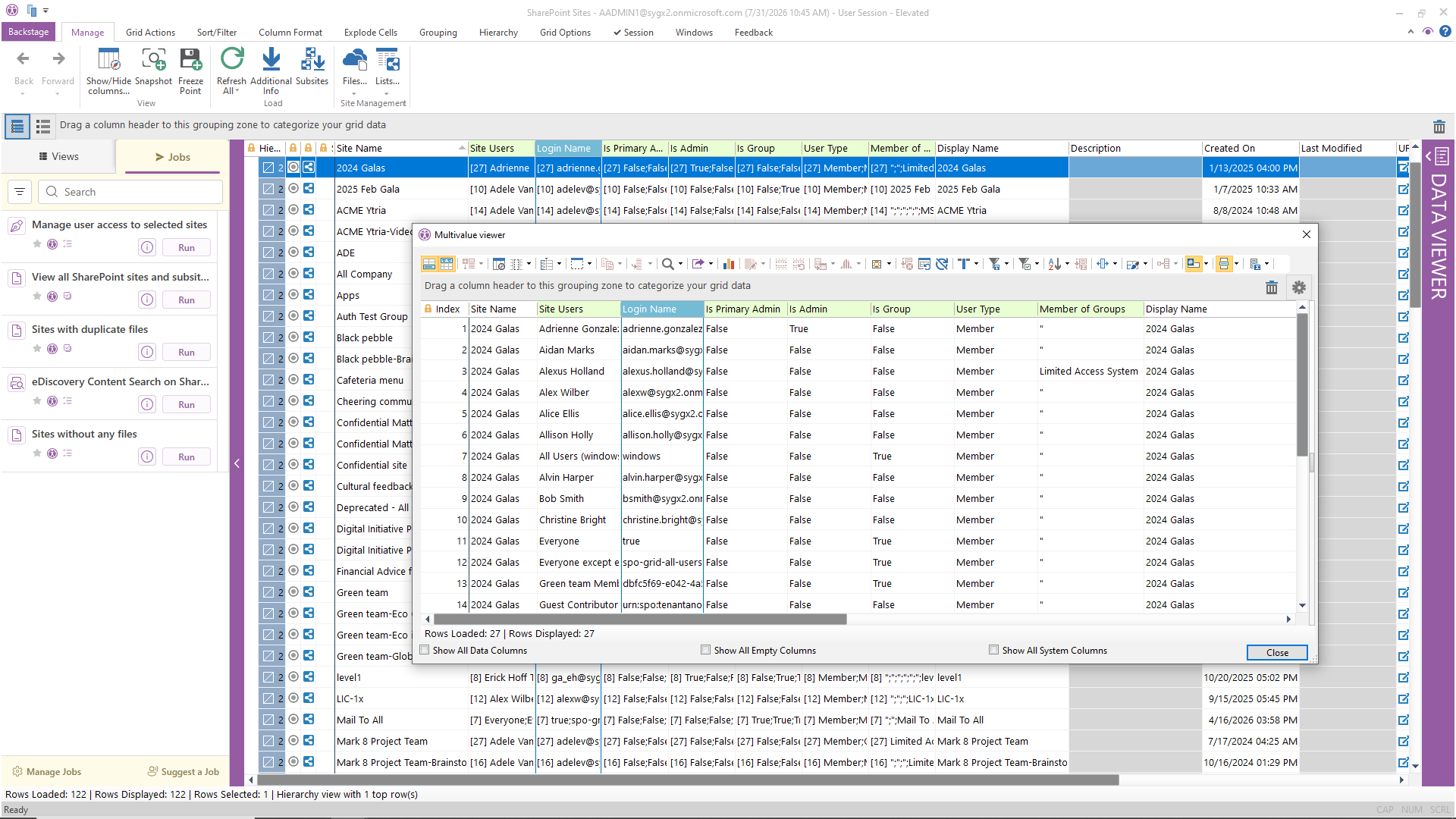
8
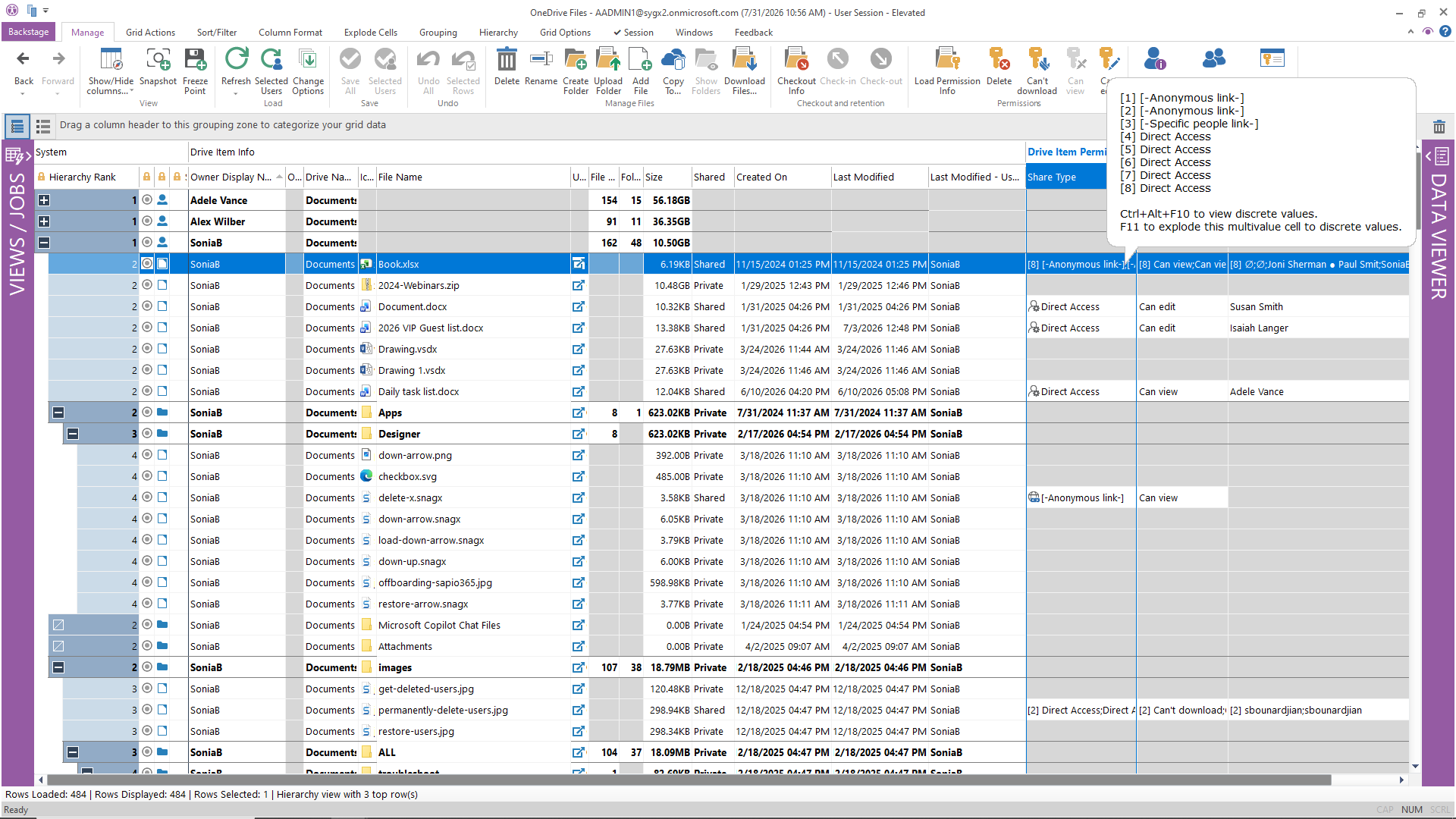
9
What native tools require: Entra ID device list is basic. Detailed device info typically requires Intune. sapio365 gives you the Entra-level inventory in a filterable, exportable grid.
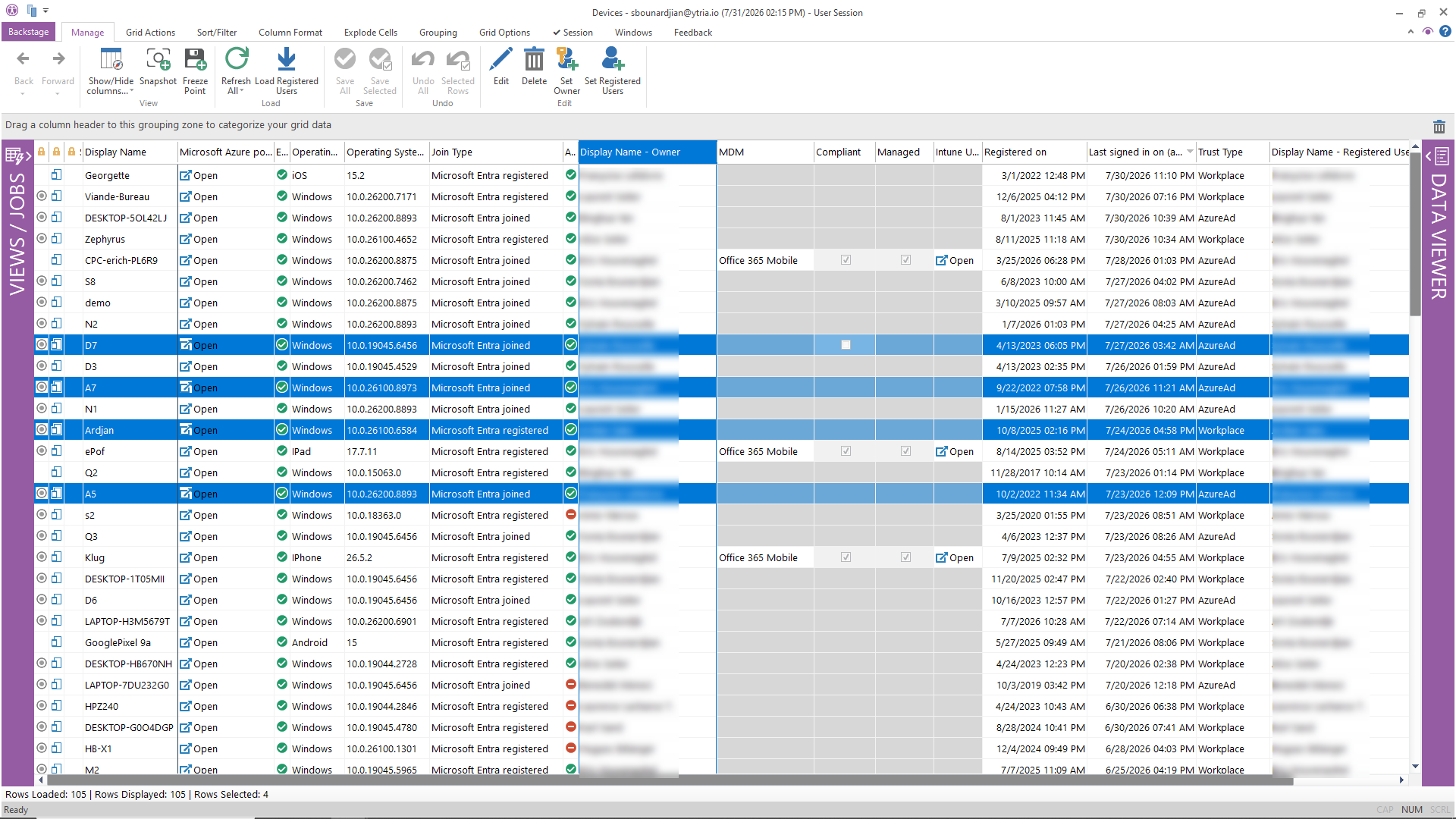
10
What native tools require: The Entra app registrations blade shows one app at a time. There is no native global view of all service principal permissions.
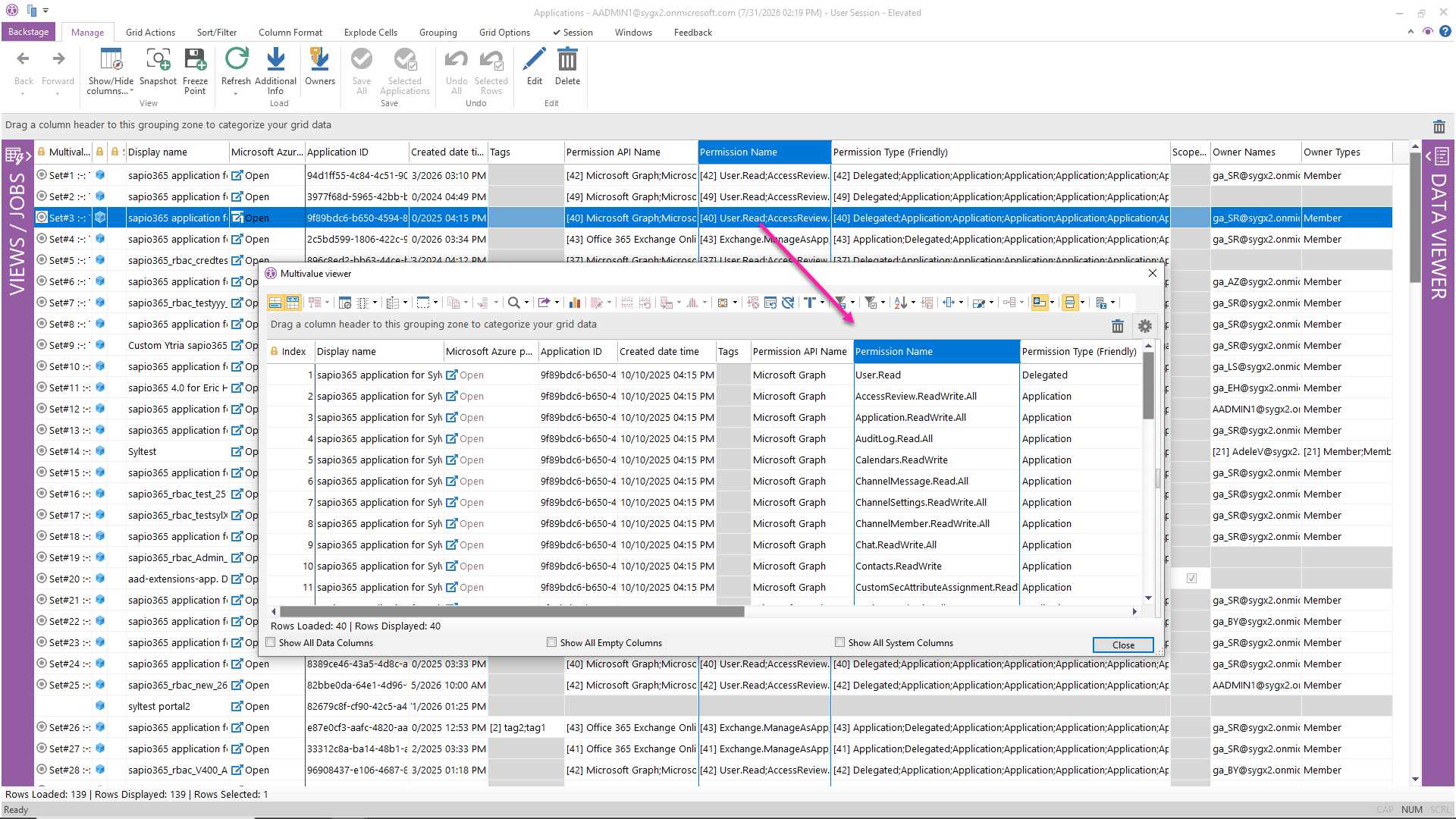
11
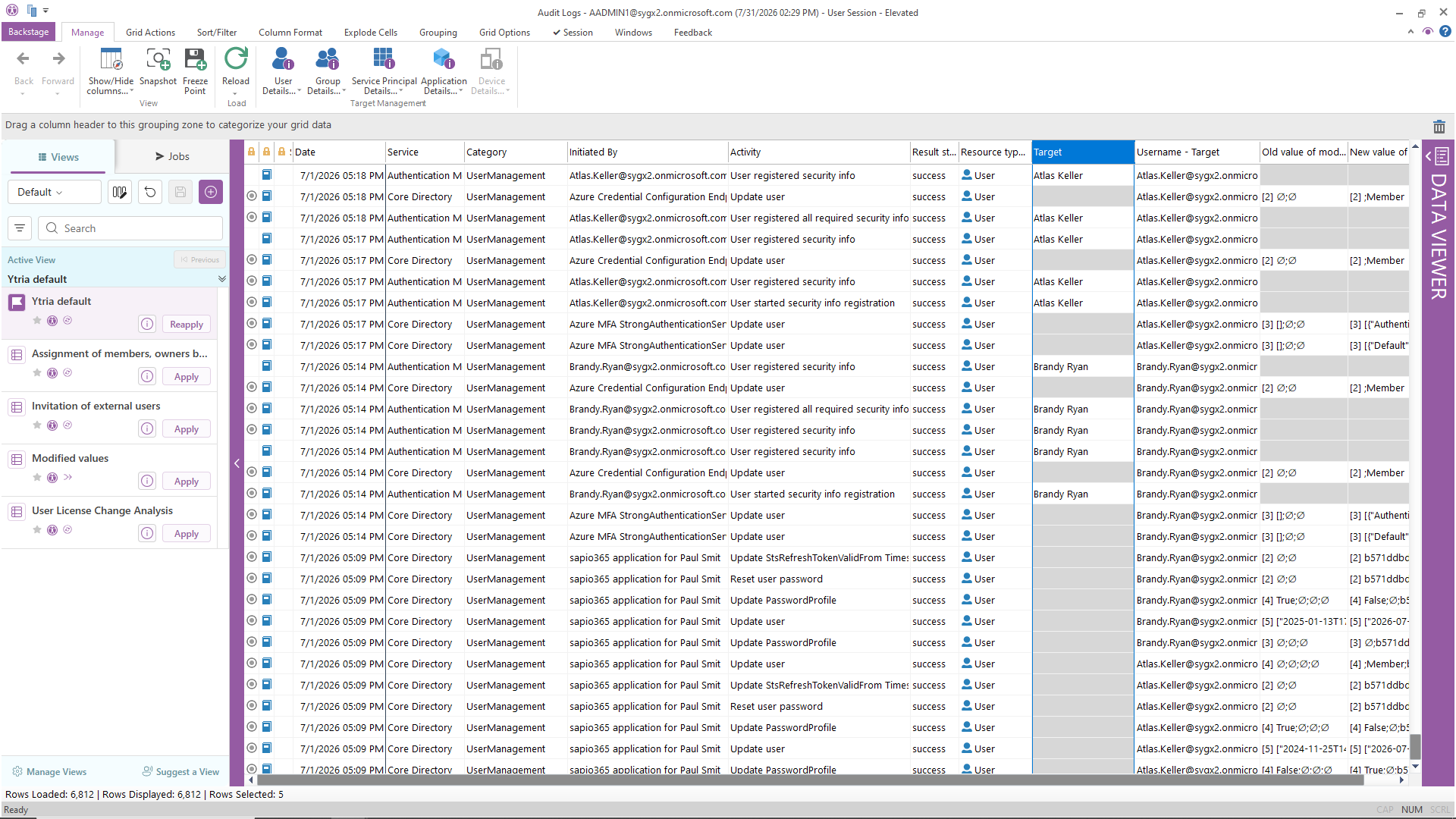
What native tools require: The Entra audit log and sign-in log provide raw data. Cross-referencing with user properties requires export + manual joining.
12
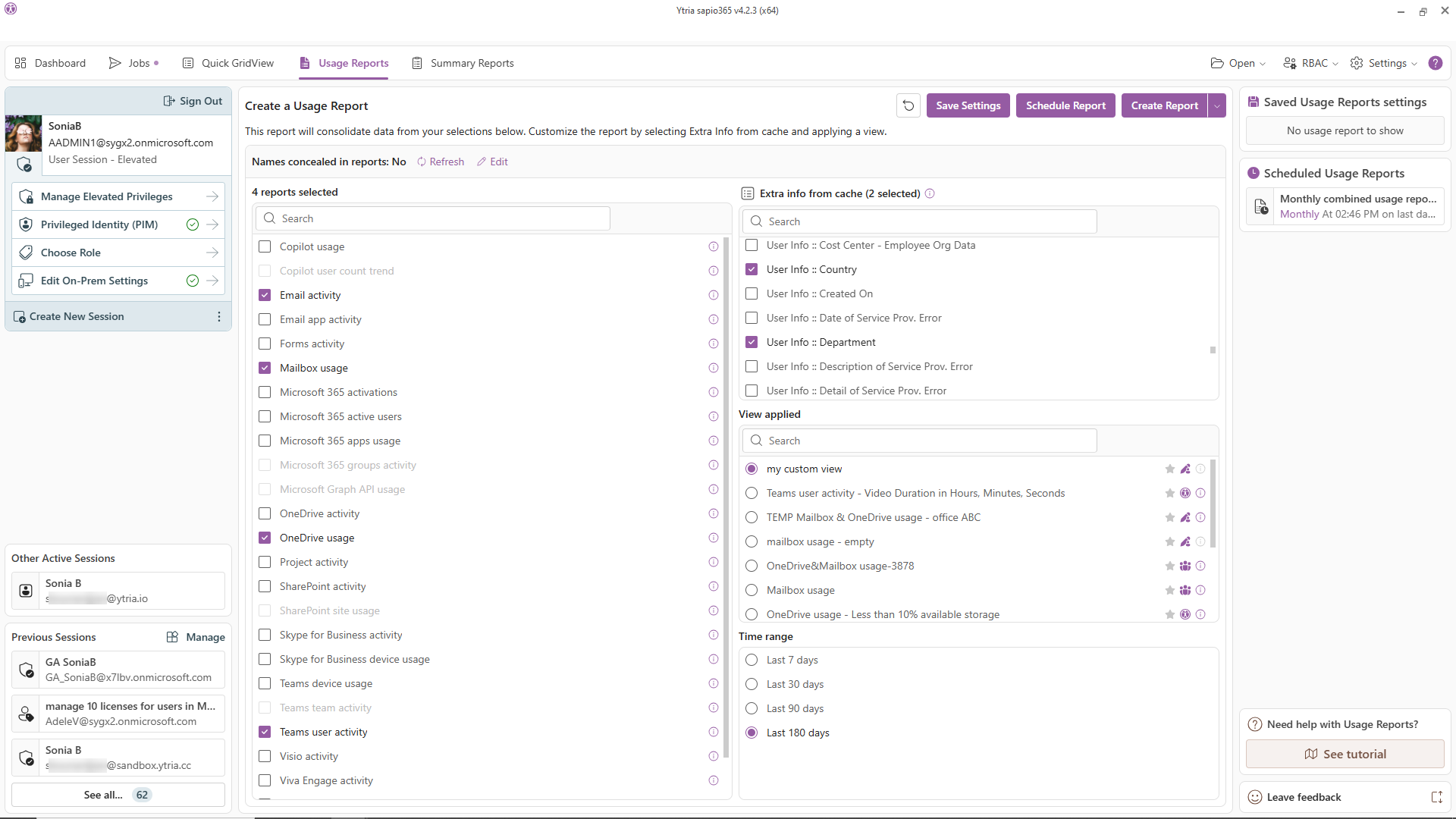
What native tools require: M365 usage reports are siloed by service (Teams, Exchange, SharePoint). Combining them requires export, manual merging, and a reporting tool.

| sapio365 | Native Microsoft 365 admin portals | |
|---|---|---|
| Visibility | All in a single grid interface | Scattered across 6+ admin portals |
| Properties | 300+ filterable, sortable, groupable | Limited per portal, varies by service |
| Hybrid support | Cloud + on-prem attributes in one view | Separate tools, separate views |
| Bulk operations | Yes: preview changes before committing | Limited native bulk operations, no preview |
| Data processing | 100% local, no third-party cloud, ever | You're already in Microsoft's cloud, native tools add no third party |
| Data security | Desktop app, no third-party cloud, no proxy | Portal access only, no offline analysis |
The trial is instant and free: install in minutes, and start exploring your own tenant right away. Want more time? Just ask and we'll extend it. Want company? A Ytria product expert can walk your tenant with you. Optional, always free.
Start your free trialNo credit card. No cloud deployment. Your data never leaves your environment.