






No PowerShell. No portal-hopping. No scripts to maintain.
sapio365 is a no-code desktop toolkit for Microsoft 365 administration: a unified interface that gives busy administrators full visibility and control over their tenants, without writing a single line of code.
Unlike native Microsoft 365 administration, which requires navigating multiple portals and scripting even the simplest bulk operations, sapio365 delivers a single-pane-of-glass experience for no-code administration, deep data visibility, safe bulk actions, and advanced reporting.
Start your free trialsapio365 runs as a native desktop application on your machine. It communicates directly with Microsoft 365 using your credentials. No third-party cloud, no hosting, no proxies, no back doors.
No one at Ytria, or anywhere else, ever has access to your tenant data.


No cloud intermediary.
No data stored outside your Microsoft 365 tenant.
GCC High, DoD, and 21Vianet compatible.
Designed for zero-trust environments: no third-party services to allowlist, no inbound connections. Traffic flows only between your machine and Microsoft.
Where's our SOC 2? Certifications like SOC 2 attest to how a vendor protects the customer data it holds. sapio365 is architected so we hold none.
1
This is what replaces PowerShell. Any report a script would build, GridViews builds in seconds, interactively, without code.
2
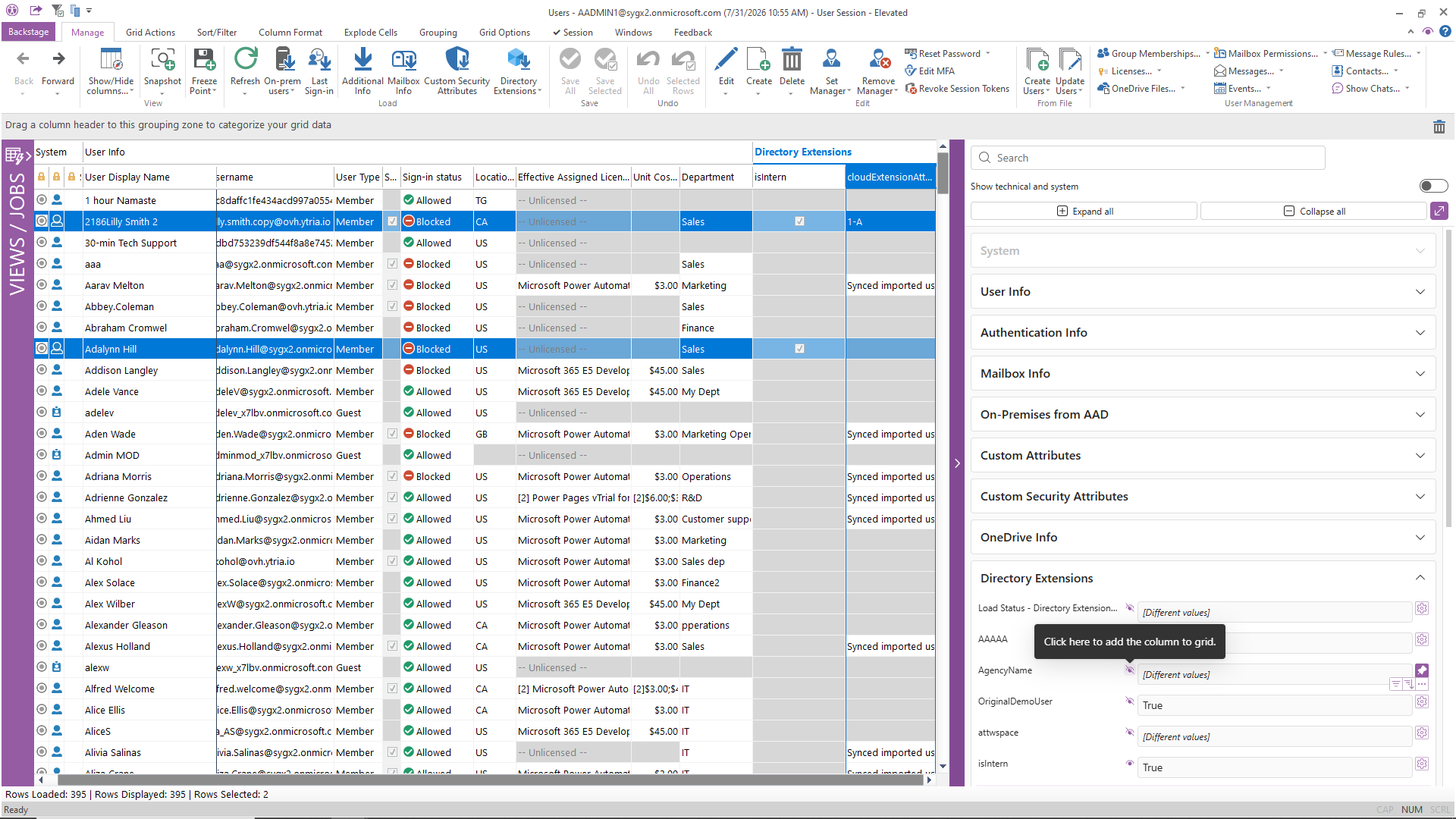
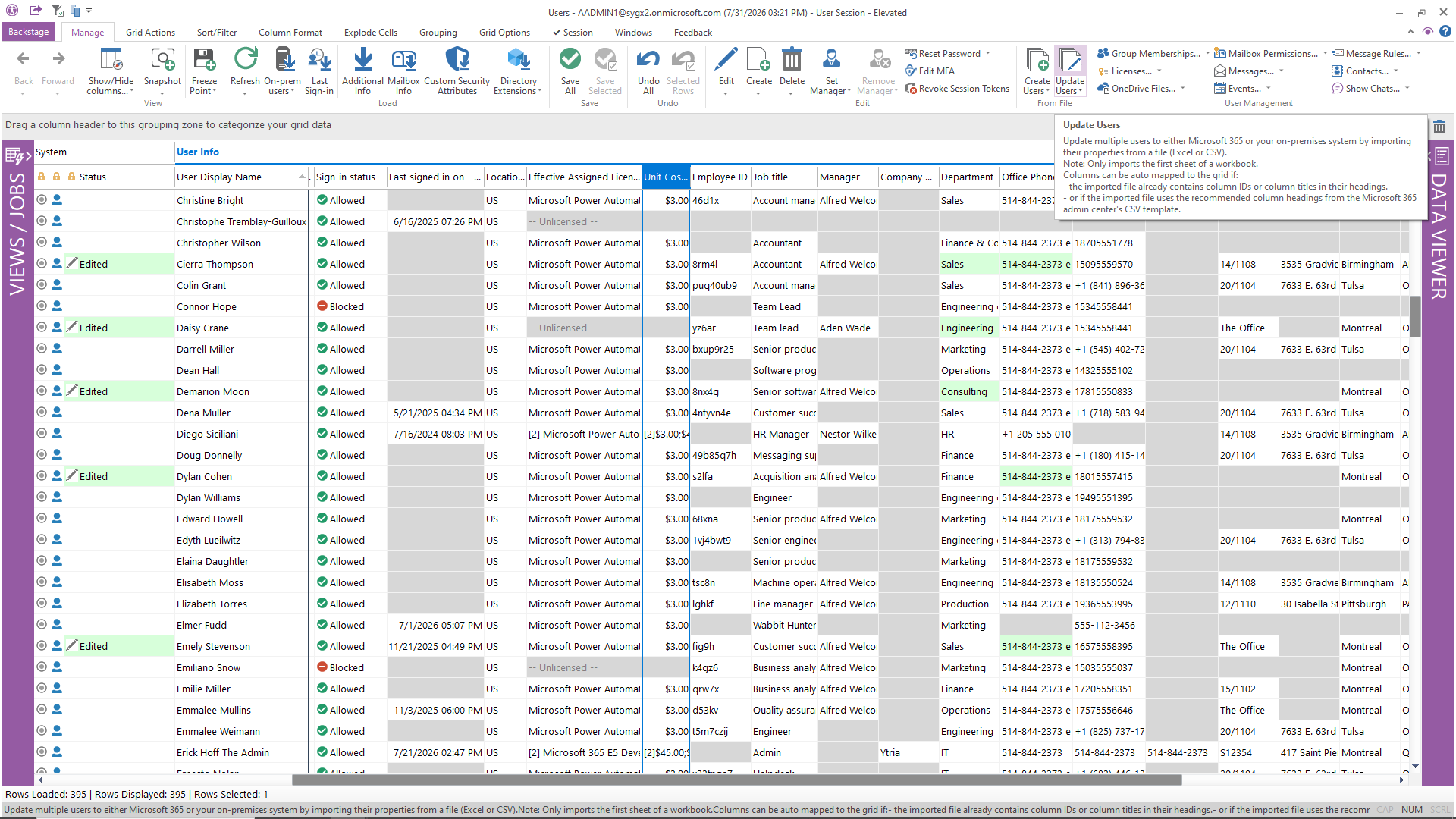
Most Microsoft admin portals support updating one object at a time. Bulk changes require PowerShell — with all the risk that entails.
3
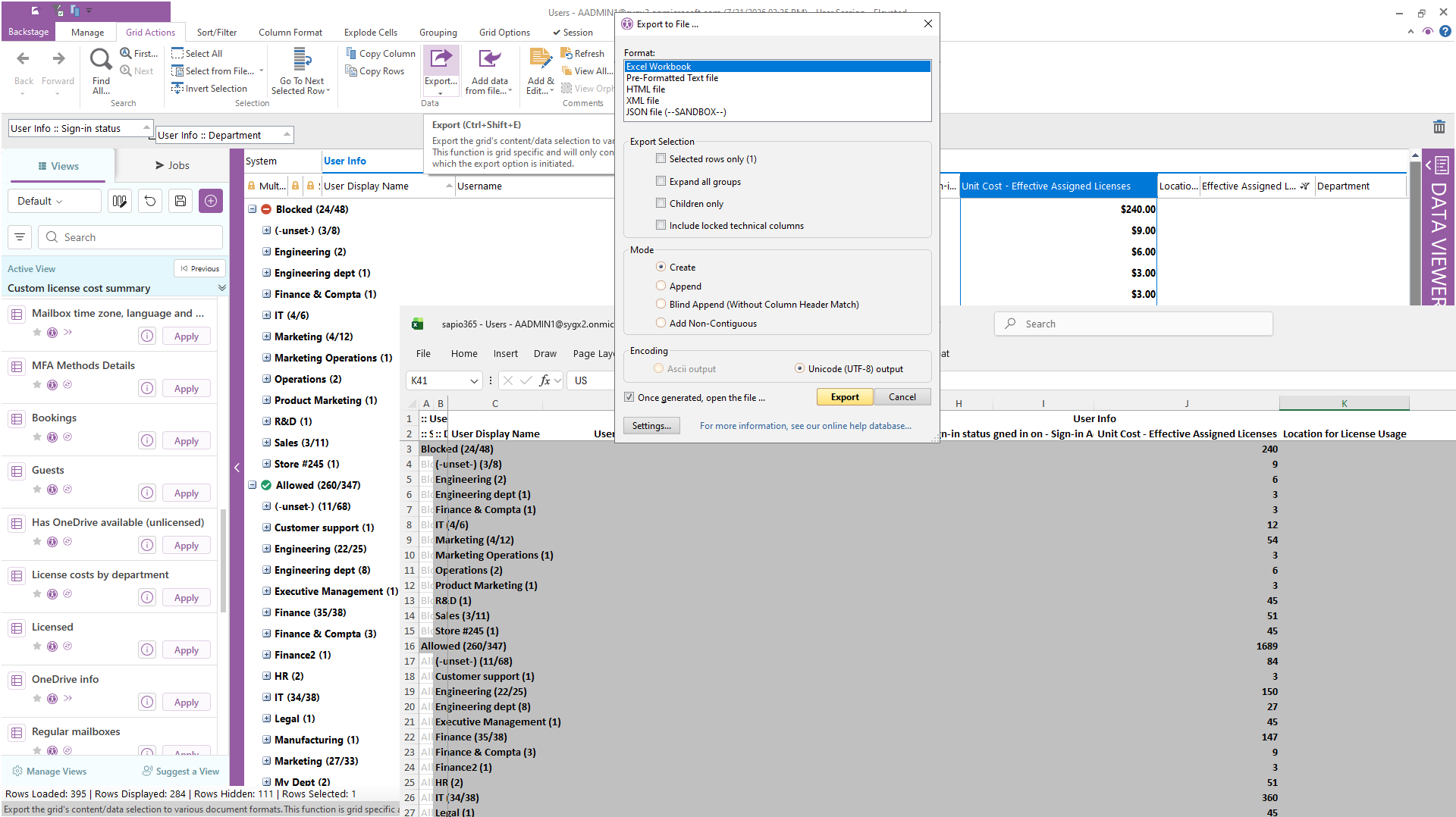
Audits, compliance reports, and management dashboards that previously took hours of PowerShell + Excel work now take minutes. Answer questions no report was built for.
4
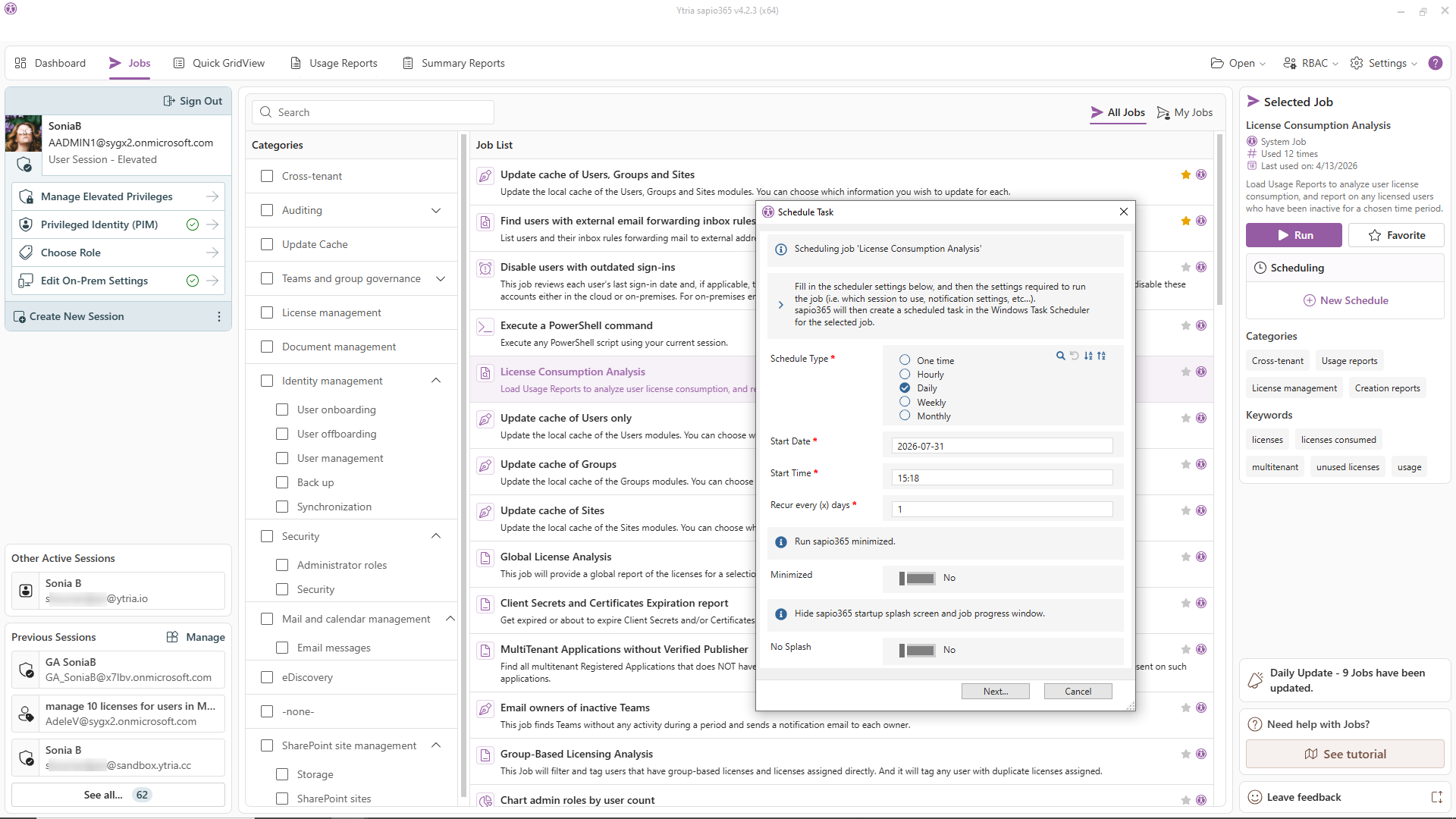
This is not just scheduling exports. It's full workflow automation on a schedule, without scripts: license assignments, group memberships, mailbox configurations, and more.
What about when nobody's at the desk? Scheduled jobs run from any always-on Windows machine or VM you control, which is still your environment, not a third party's. Certificate-based unattended automation means no one has to be logged in.
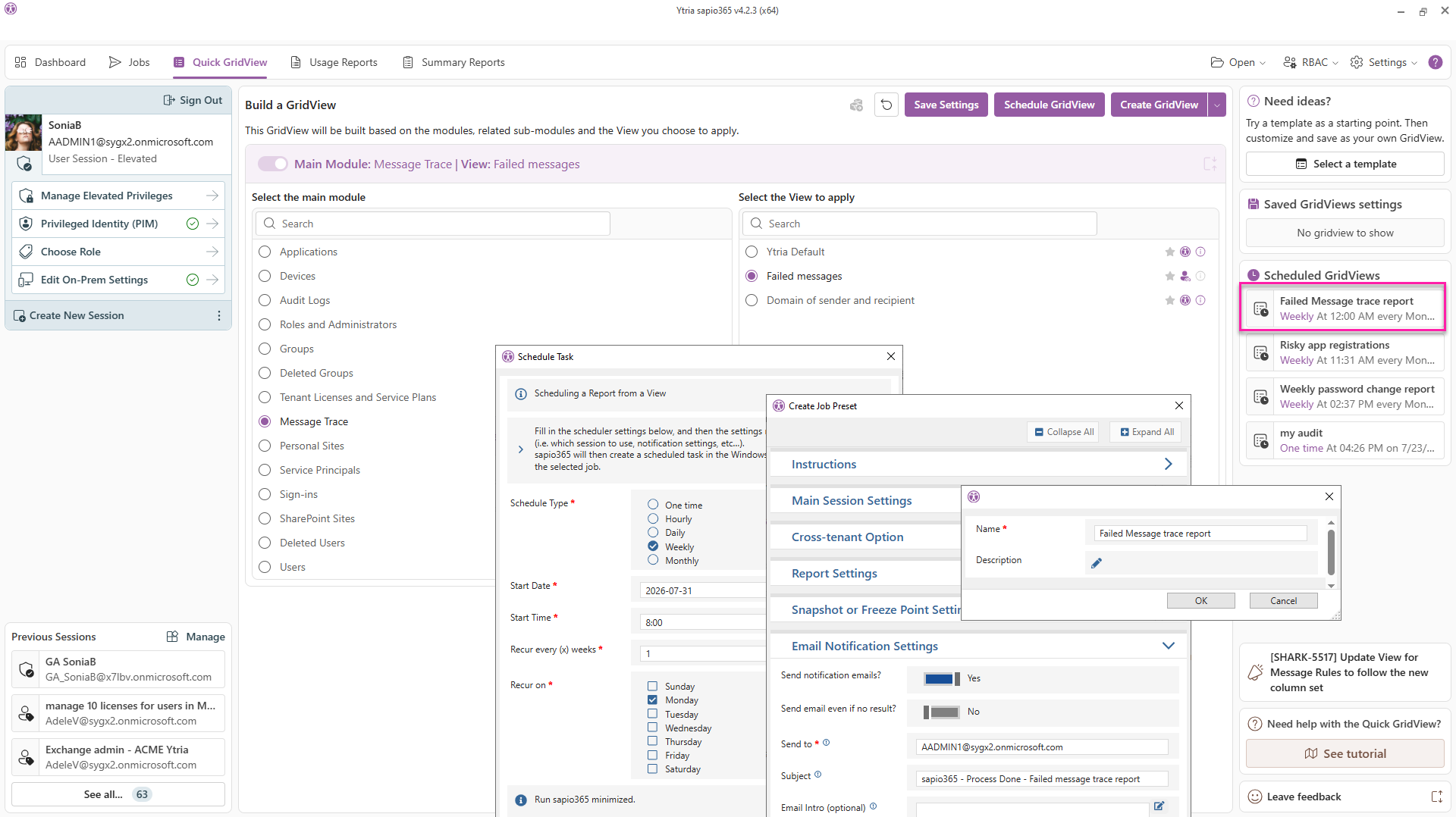
5
Shared views, shared comments, shared jobs. No more duplicate work across the team.
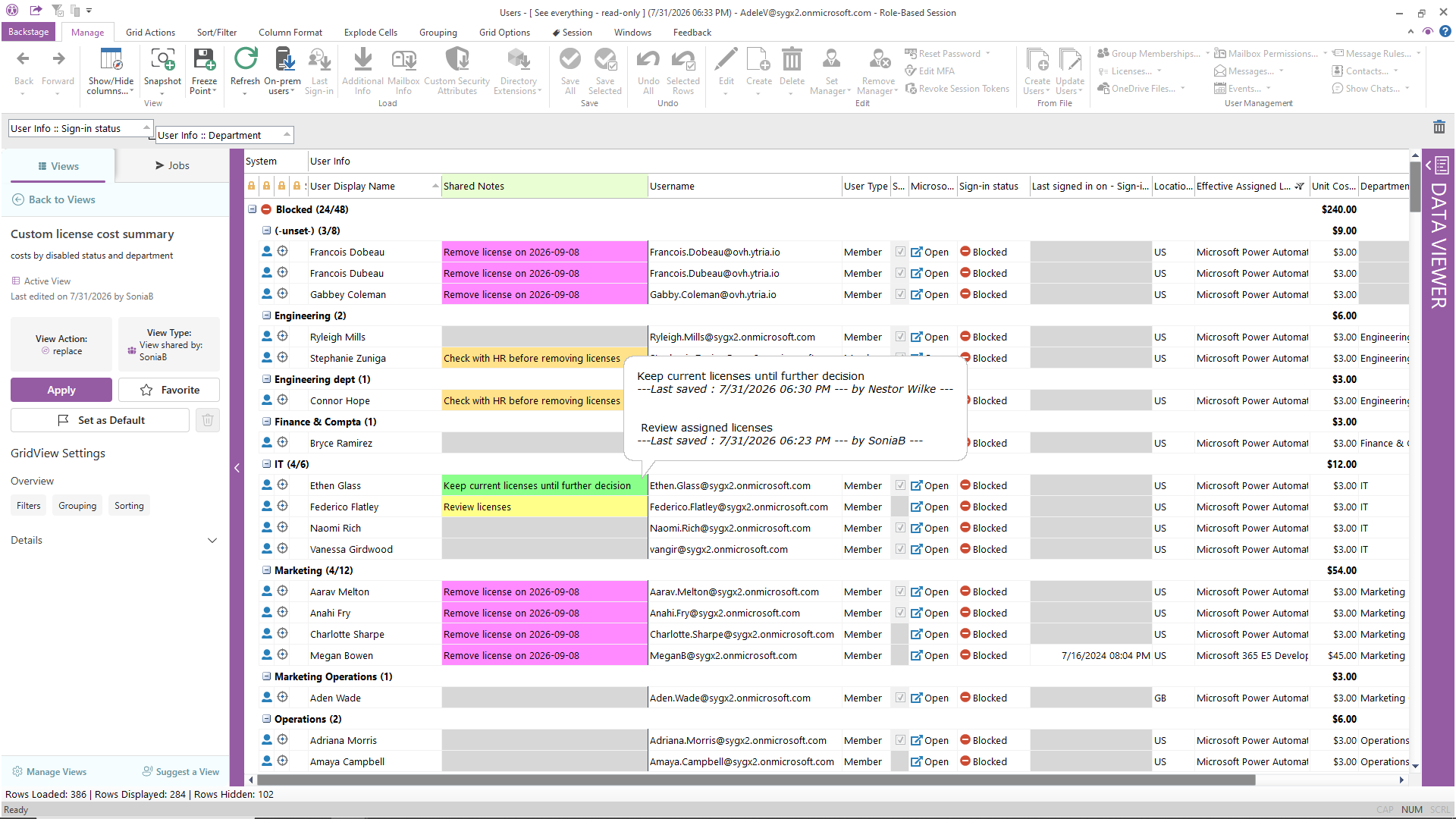
6
Helpdesk handles password resets, group assignments, and license changes without ever touching the M365 admin center or a PowerShell console, and without the risk of accidental over-reach. Delegate tasks, not credentials.
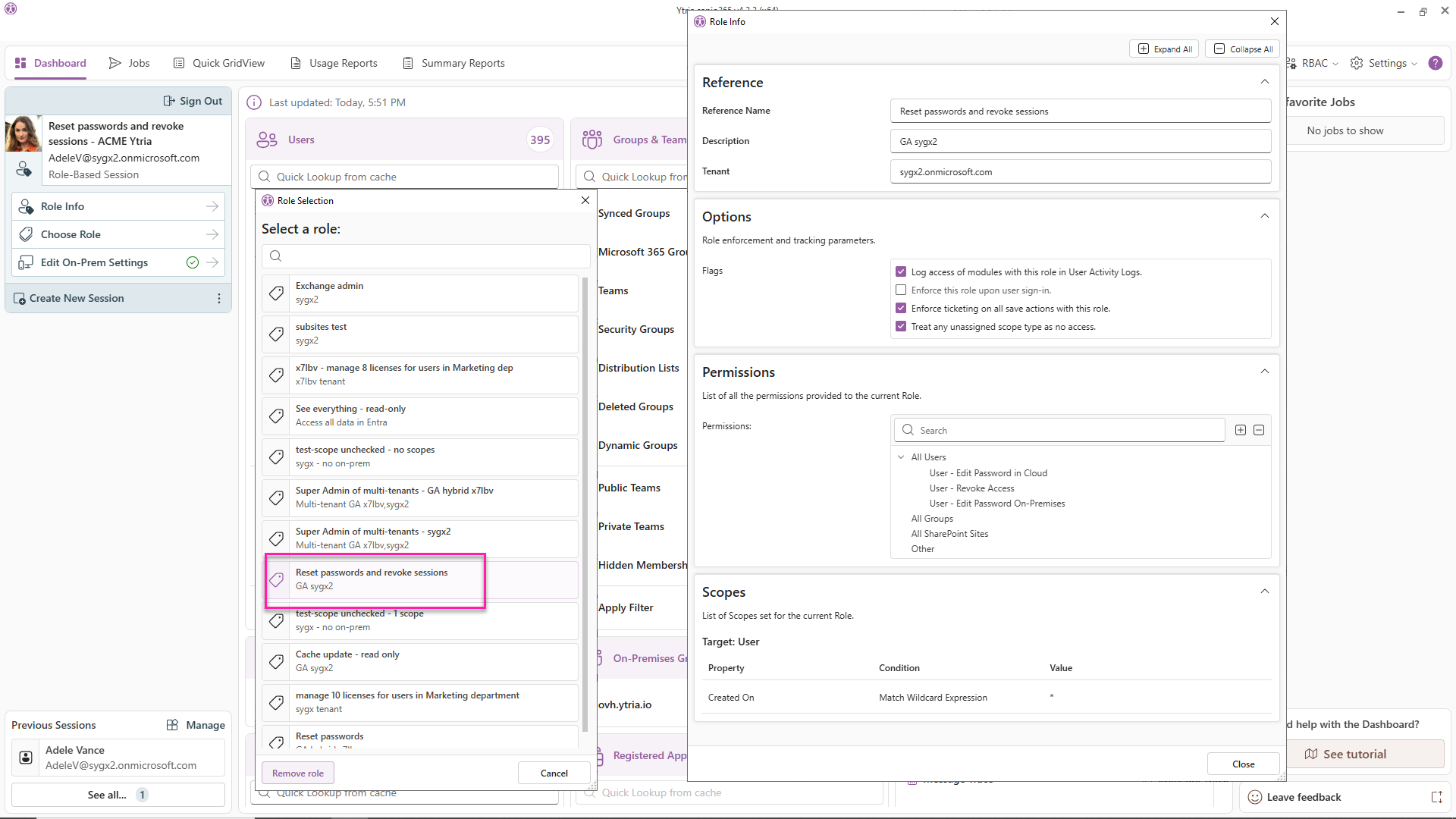
7
Cloud-only admin tools do not provide native on-prem AD management. sapio365 bridges both environments natively.
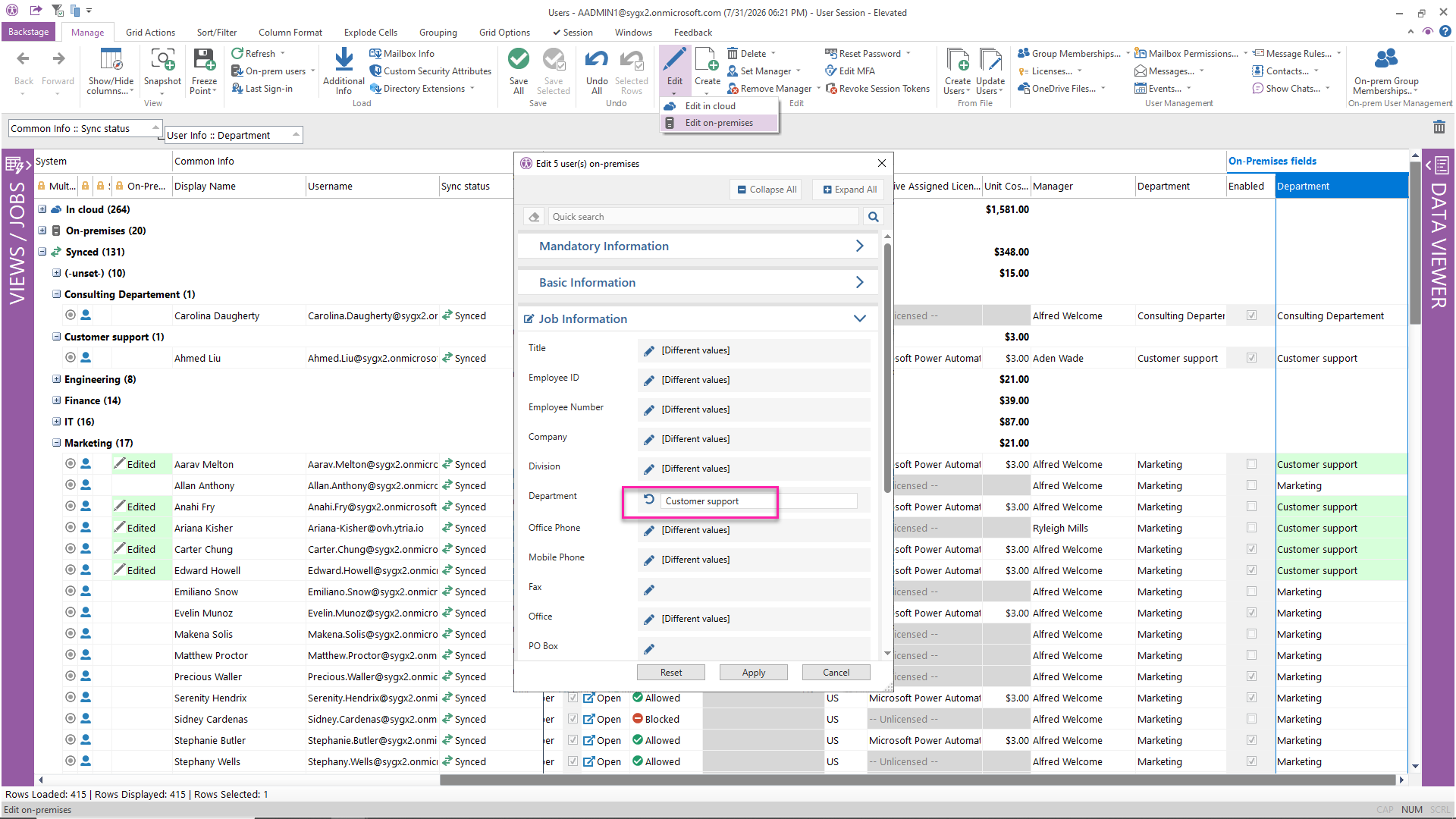
8
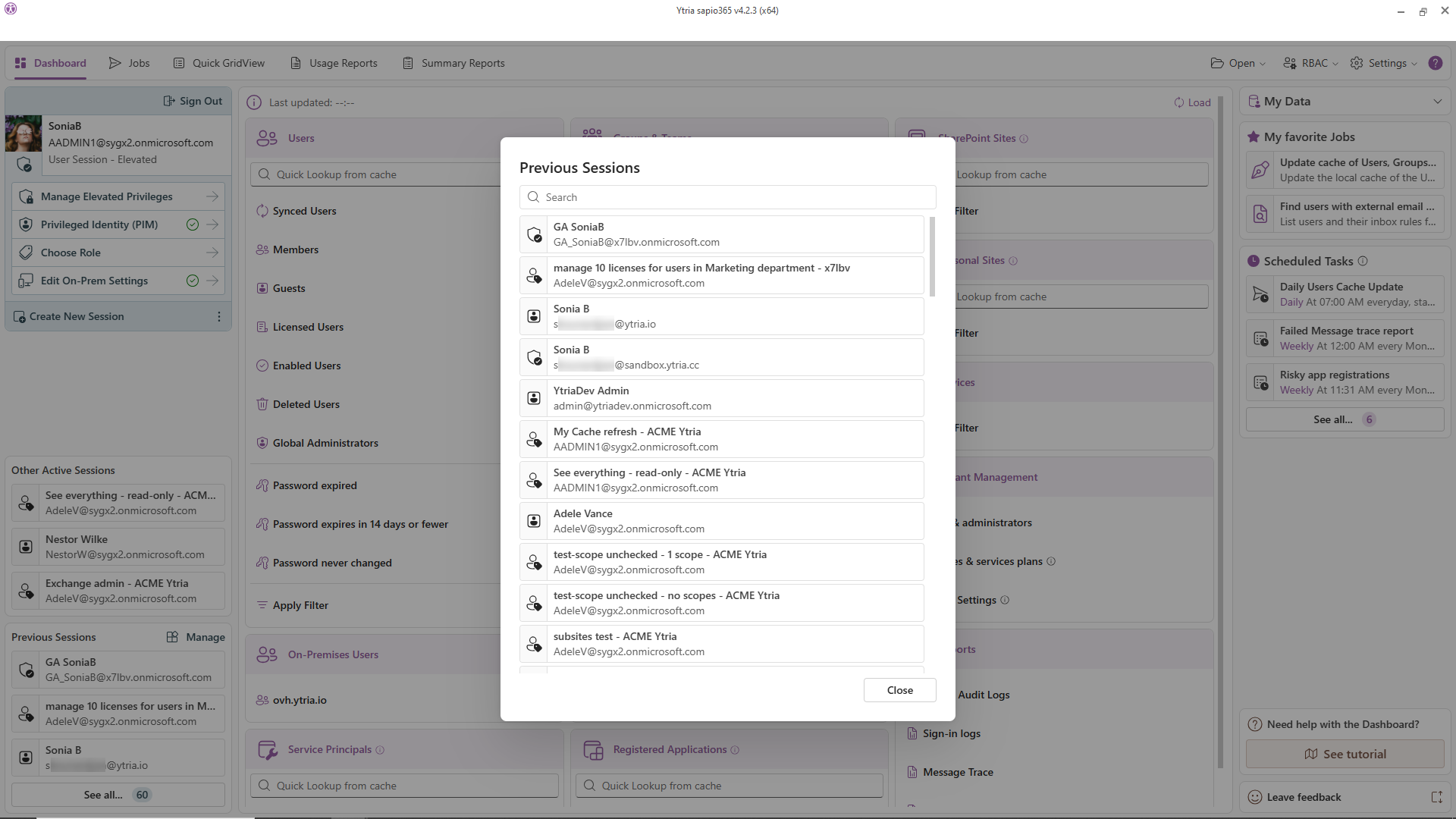
Every tenant. One window. One login. IT teams securely manage all clients or business units with a single account. In one customer's words: "reducing time spent by 50%" (Gerben Goede, IT Services Director, Camelot ICT Group).
9
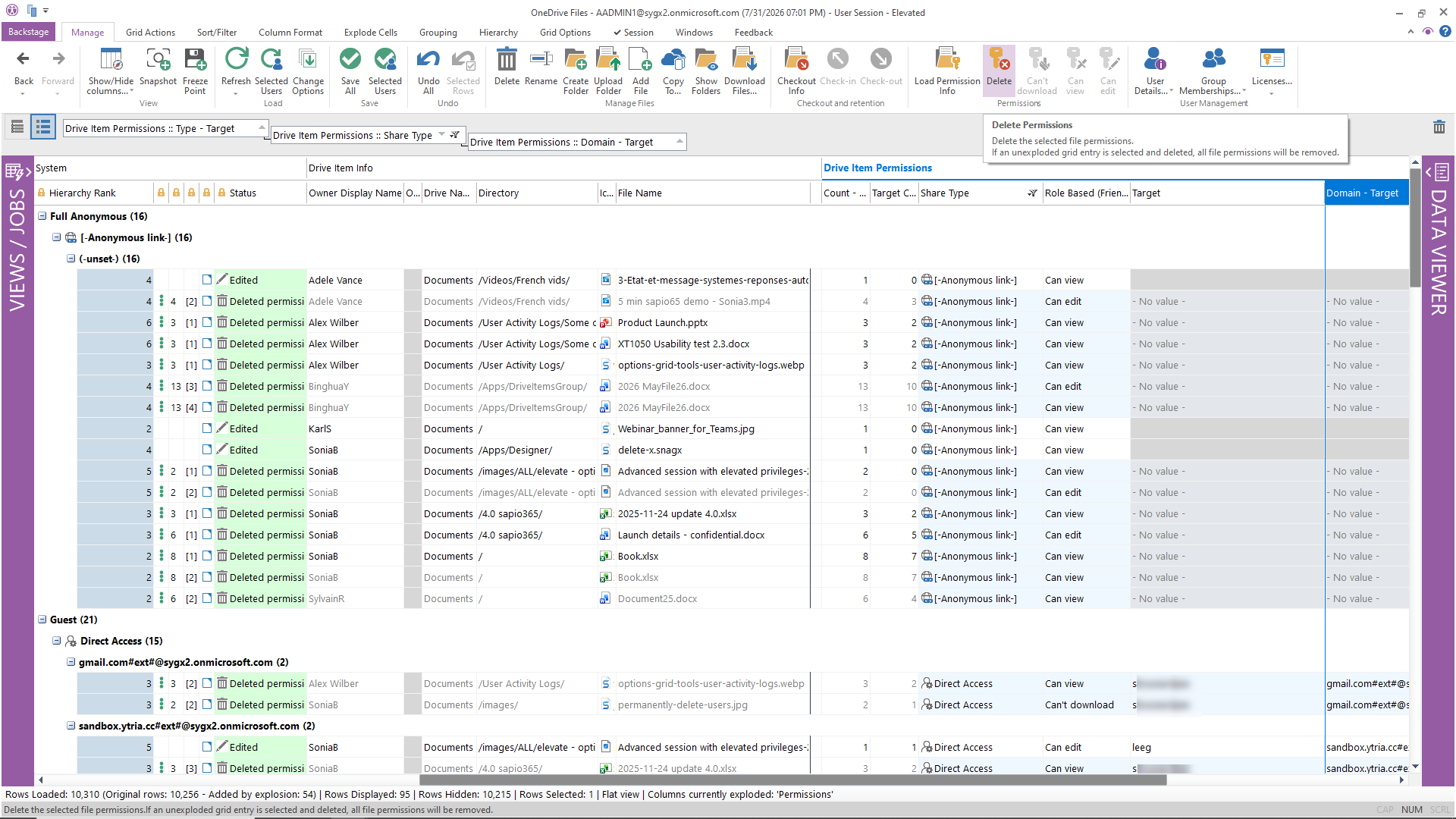
Native M365 security tools show you the problem. sapio365 lets you act on it immediately, at scale, without PowerShell.
10
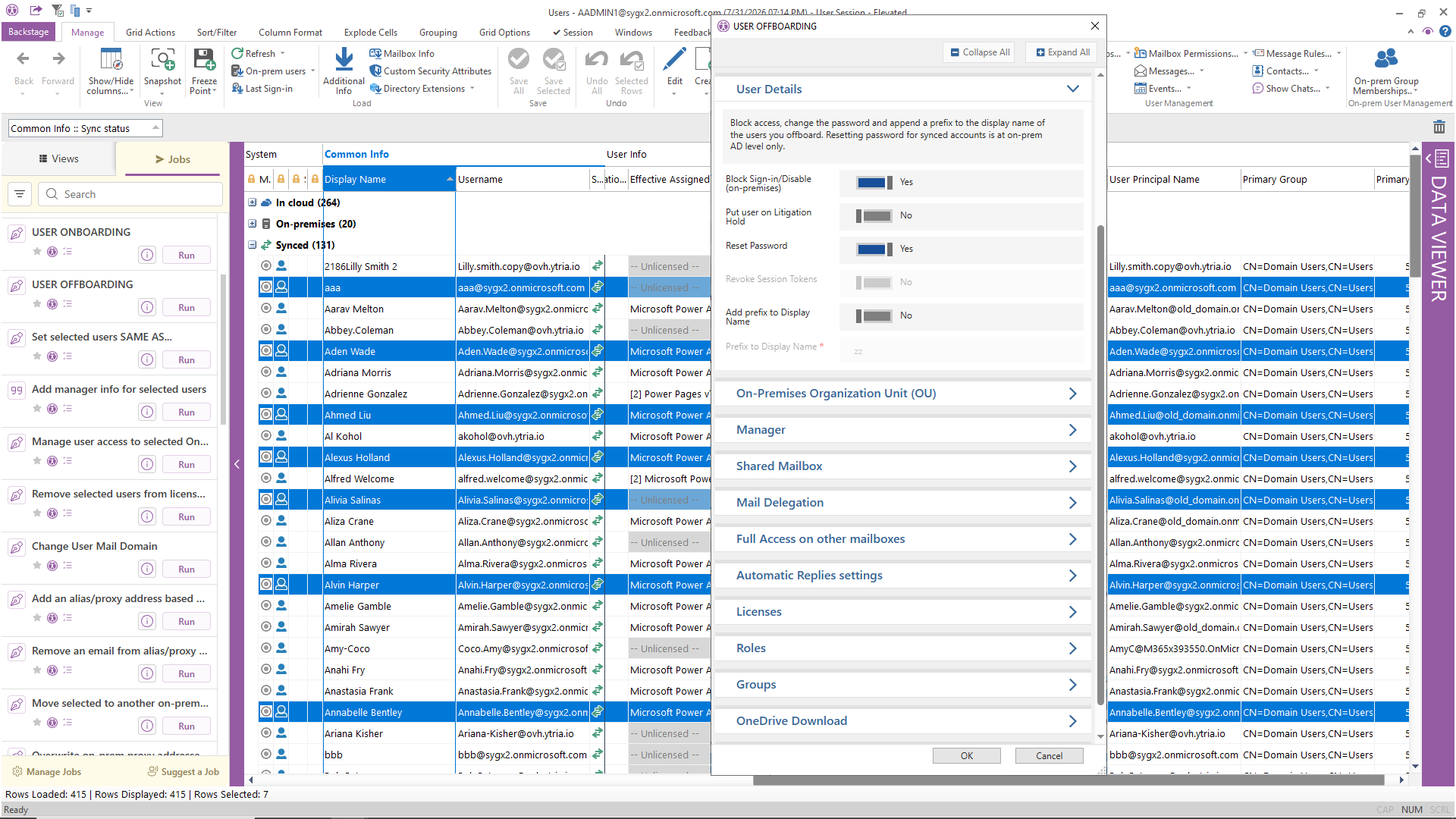
Consistent, reliable, every time. No complex PowerShell scripts to write and maintain, no admin portals to hop between.

| Task | Native Microsoft 365 Admin tools | sapio365 |
|---|---|---|
| Bulk update 500 user attributes | Complex PowerShell script | Filter in grid → bulk edit → preview → apply |
| Cross-reference license + sign-in activity | Export 2 CSVs → VLOOKUP in Excel | Combined view in one grid, no export needed |
| Find all anonymous sharing links | PowerShell (Get-SPOSite loop) | Grid filter → select all → delete links |
| Onboard 20 new users consistently | Manual steps across 3–4 portals | Automated job from CSV in one click |
| Delegate group management to helpdesk | Full M365 Groups admin role (too broad) | Scoped sapio365 RBAC role: exactly the permissions needed |
| Compare cloud vs. on-prem AD user data | Two separate tools, manual comparison | Side-by-side in one view |
| Manage 3 tenants simultaneously | 3 browser sessions, 3 logins | One sapio365 session, simultaneous access to all tenants |
| Schedule a weekly license usage report | PowerShell + Task Scheduler + email script | Built-in scheduler, 2 minutes to configure |
Every task in the table above is waiting for you, out of the box, the day you install sapio365.
Start your free trialFree, instant, fully functional. Extensions are one ask away, and a product expert can join you on your own tenant if you'd like. No credit card. No cloud deployment. Your data never leaves your environment.